
AMDVBFlash / ATI ATIFlash is a utility used to flash the BIOS on AMD graphics cards.
Originally released by ATI as ATIFlash (also known as WinFlash), it supports all AMD Radeon GPUs — from the latest RX 5000/6000/7000 series down to older ATI cards. It’s a simple, powerful tool for updating or modifying your graphics card’s video BIOS.
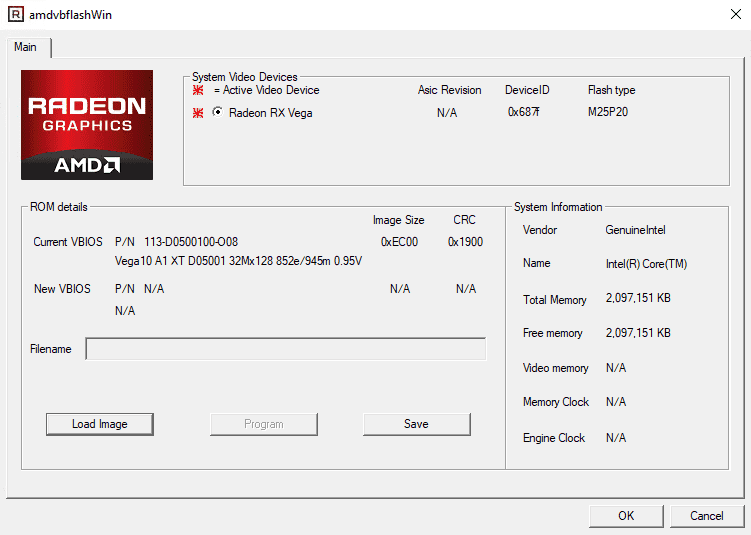
| ATI Flash (ATIFlash / AMD VBFlash) — Quick Facts | |
|---|---|
| Name | ATI Flash / ATIWinflash / AMD VBFlash |
| Developer | AMD (formerly ATI Technologies) |
| Purpose | Flash or restore the graphics card BIOS (VBIOS) to change behavior or recover a card |
| Supported cards | Most AMD Radeon families and older ATI legacy cards (check exact model compatibility first) |
| OS | Windows and DOS; Linux support exists but is limited (use caution) |
| Interface | Command-line (simple commands; no fancy GUI required) |
| Size | Small — generally under a few megabytes |
| License | Freeware / proprietary tool from AMD |
| Main features |
• Flash a new BIOS • Backup existing BIOS to file • Restore from backup • Force-flash options for advanced scenarios |
| Common commands |
-i (show adapter info), -s (save BIOS), -p (program BIOS), -f (force), -unlockrom |
| Use cases |
• Restore BIOS after corruption • Overclock or tweak voltages for performance • Apply custom BIOS for specific workloads (mining mods exist—controversial!) • Cross-flash compatible cards (risky; know what you’re doing) |
| Risk level | HIGH — improper flashing can permanently brick the GPU |
| Prerequisites |
• Admin/root rights • Compatible .rom file and a verified backup of the original BIOS • Stable power during the flash (use a UPS if unsure) |
| Alternatives | GPU-Z (backup only), NVFlash (NVIDIA equivalent), Radeon BIOS Editor (RBE) |
| Latest notes (2025) | As of 2025 AMD maintains VBFlash/ATI tools; exact version varies by GPU series. Always check AMD support pages or manufacturer downloads dated with release notes. |
| File format | Program: .exe; BIOS files: .rom |
| Warnings |
• May void warranty • Can permanently damage the card if mismatched or interrupted • Always verify BIOS compatibility before flashing |
| Support | Limited official support; community forums and AMD support pages are the main resources |
Share this